Google Workspace Allowlisting
Allowlist Prventi email
Section titled “Allowlist Prventi email”- Sign into your Google Workspace admin console
- Navigate to Apps > Google Workspace > Gmail
- Navigate to Spam, phishing and malware
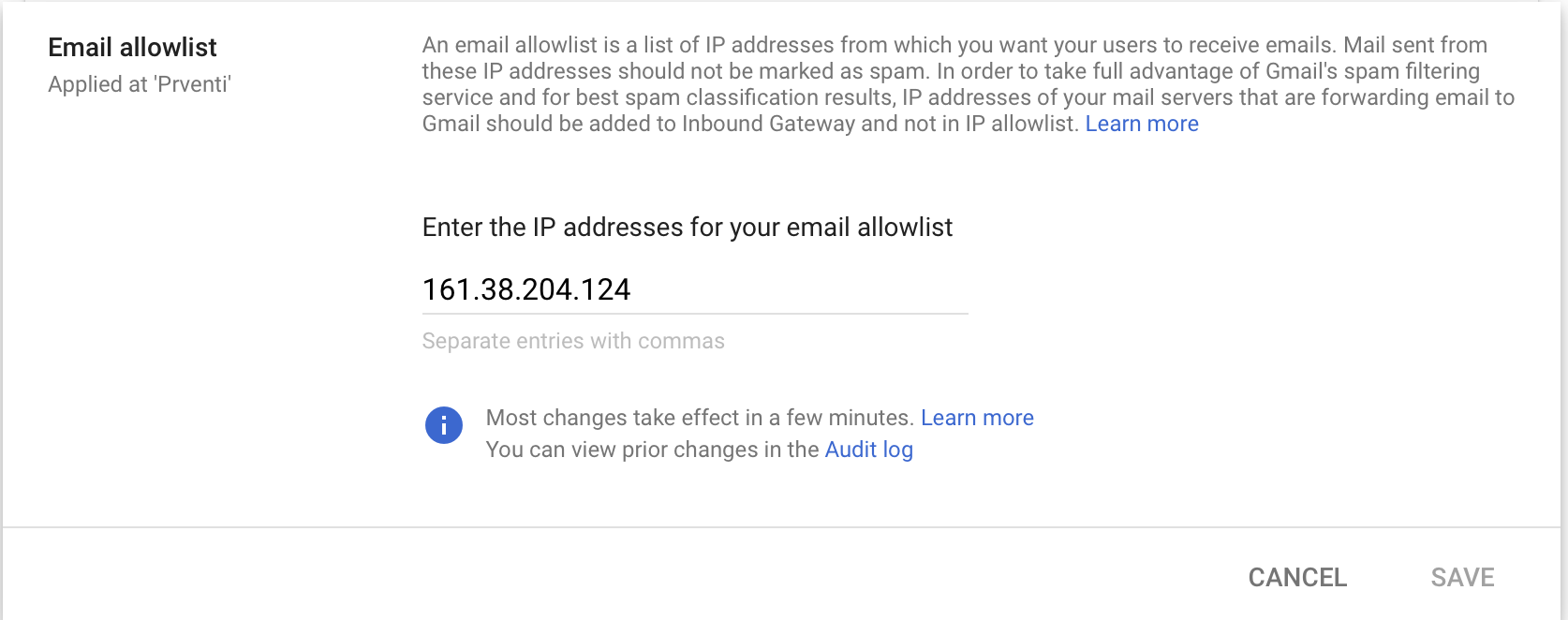
- Edit the Email allowlist and add the Prventi IP addresses below and Save
| IP Address | Description |
|---|---|
| 161.38.204.124 | Phishing server |
Add an inbound gateway
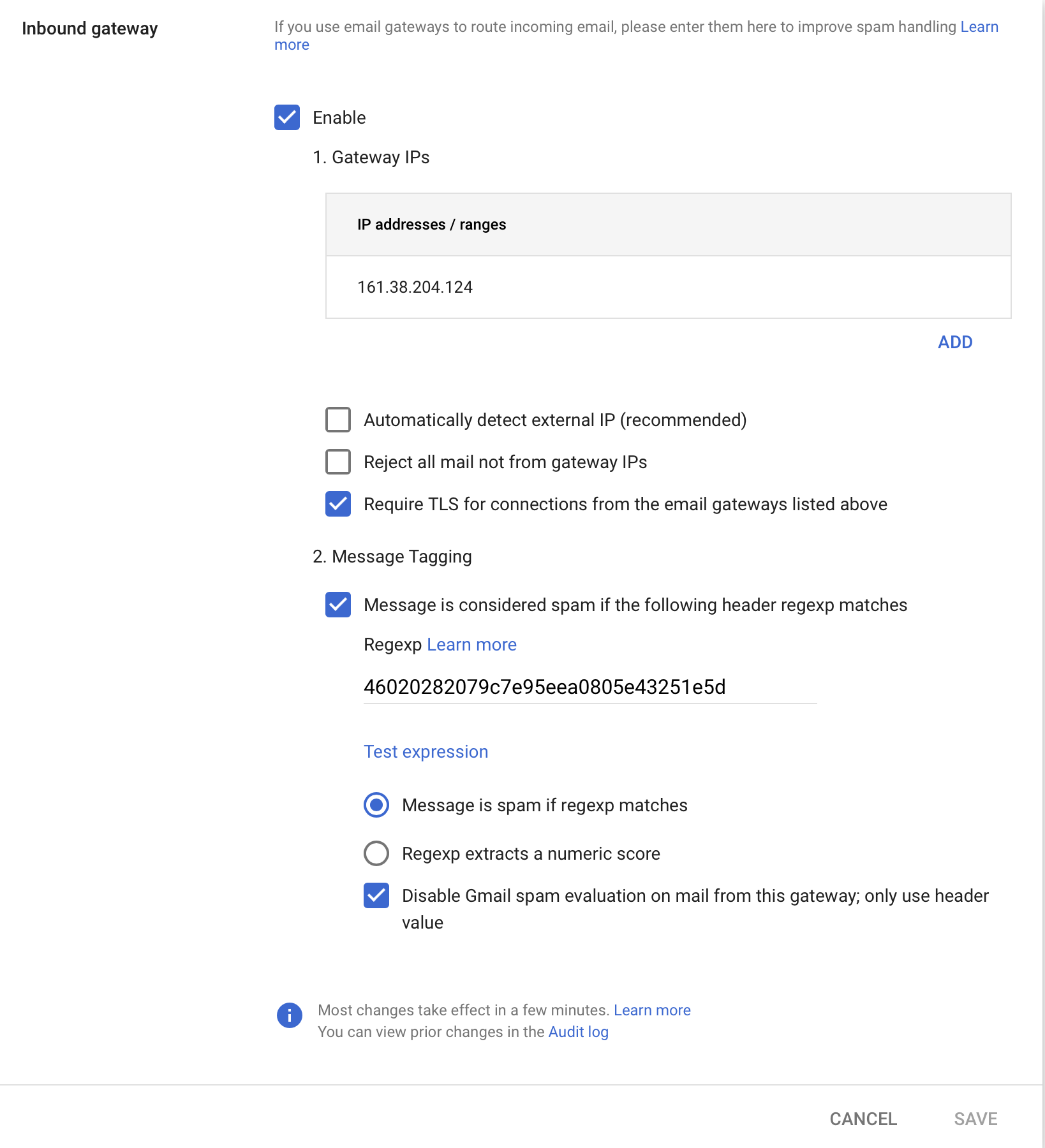
Section titled “Add an inbound gateway”- Navigate to Spam, phishing and malware
- Enable
Inbound gateway - Add the IP address from the table above
- Deselect
Automatically detect external IP (recommended) - Deselect
Reject all mail not from gateway IPs - Select
Require TLS for connections from the email gateways listed above - Select
Message is considered spam if the following header regexp matches - Enter
46020282079c7e95eea0805e43251e5das the regex value - Select
Message is spam if regexp matches - Disable
Gmail spam evaluation on mail from this gateway; only use header value